Recipes as ingredients
Recipes don't have to stand alone: a spice mix or stock can be its own recipe and an ingredient in another, automatically planned and scheduled alongside it.
Mise en Party gives recipes an extra degree of freedom by letting them use other recipes as ingredients, called sub-recipes. Sub-recipes allow you to swap in and out homemade and store bought options, leveling up your cooking.
Where sub-recipes appear
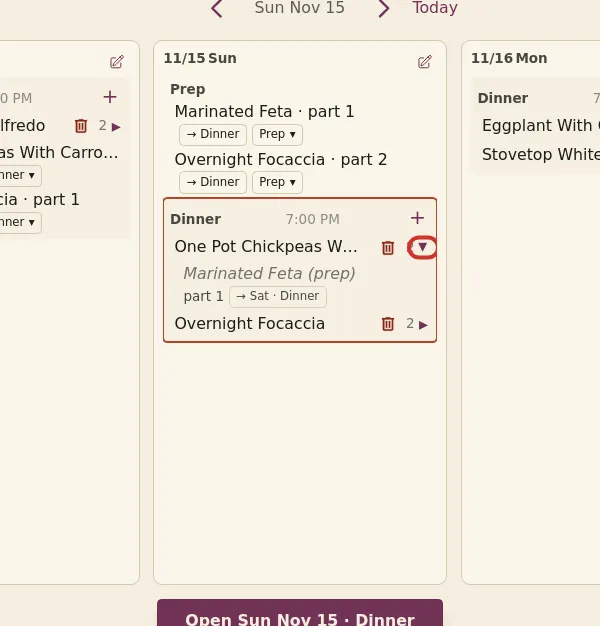
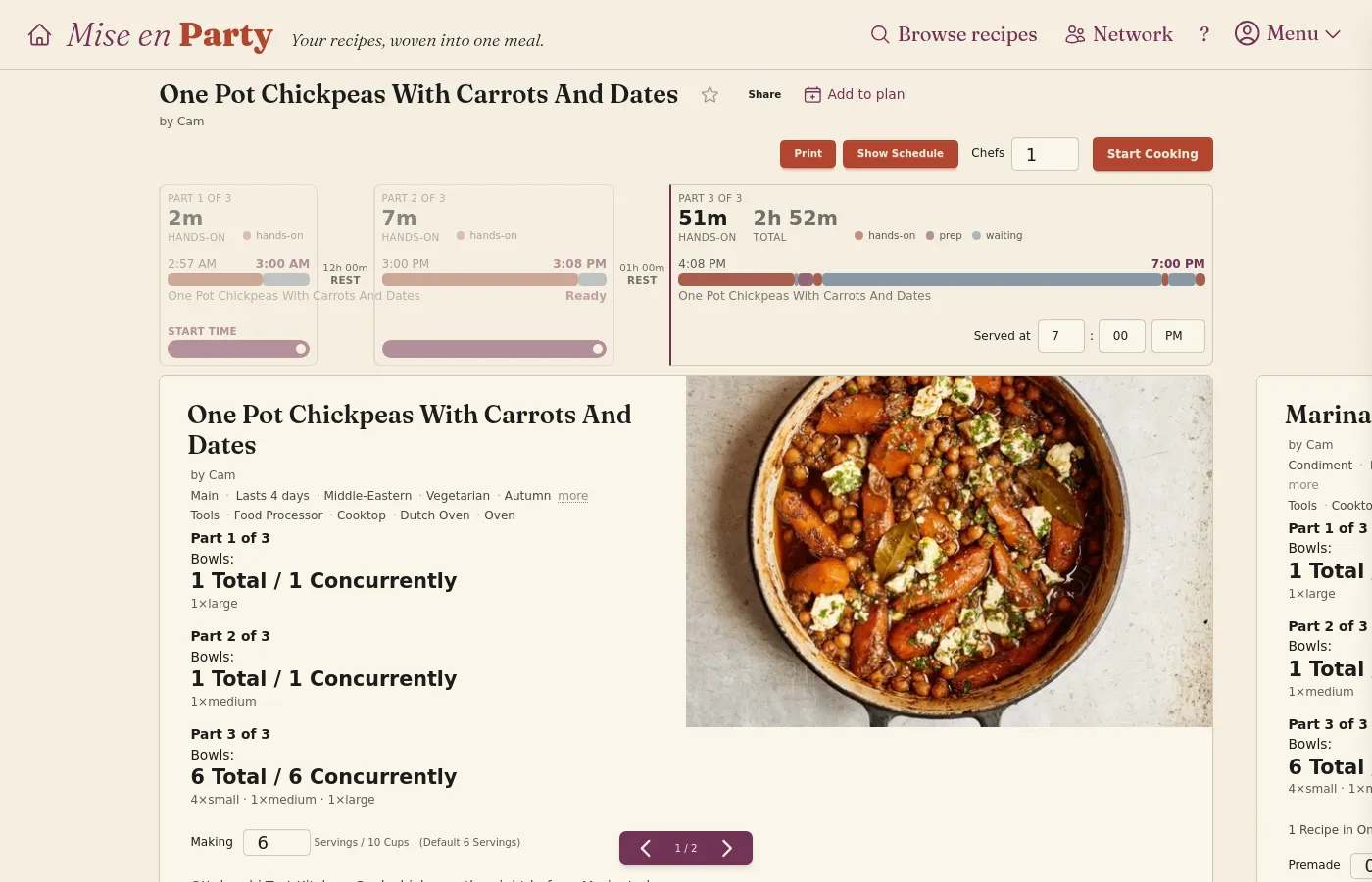
On the home page, sub-recipes render under their parent and can be seen by expanding the drop-down using the arrow to the right of the recipe. On a dish page, all sub-recipes are pulled in as their own recipe cards. You can see these using the navigation arrows at the bottom or by swiping left and right.
How sub-recipes are scheduled
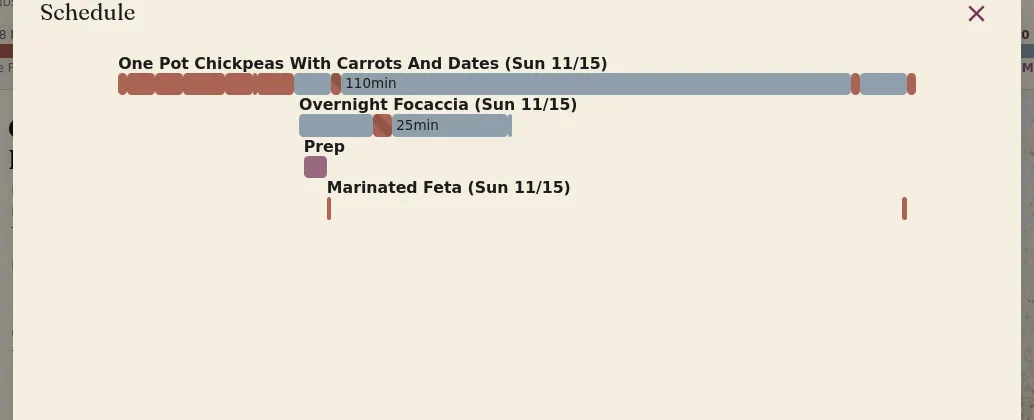
Sub-recipes are scheduled automatically when their parent recipe is added to the plan, and the schedule ensures they're ready when needed in the parent dish. If a sub-recipe is shared by multiple planned meals across a week, it can be batched into a single cooking session.
Store bought or already made
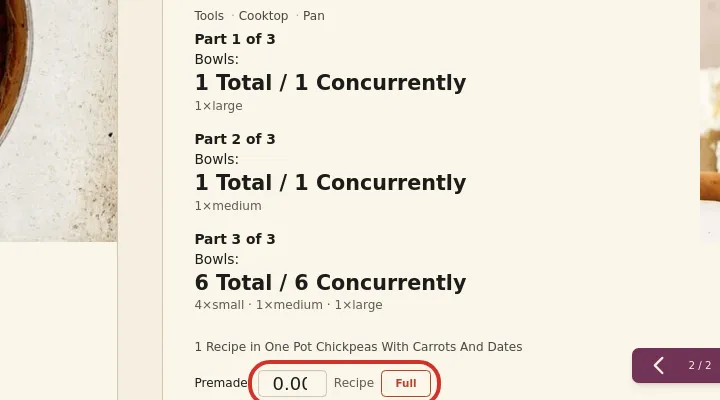
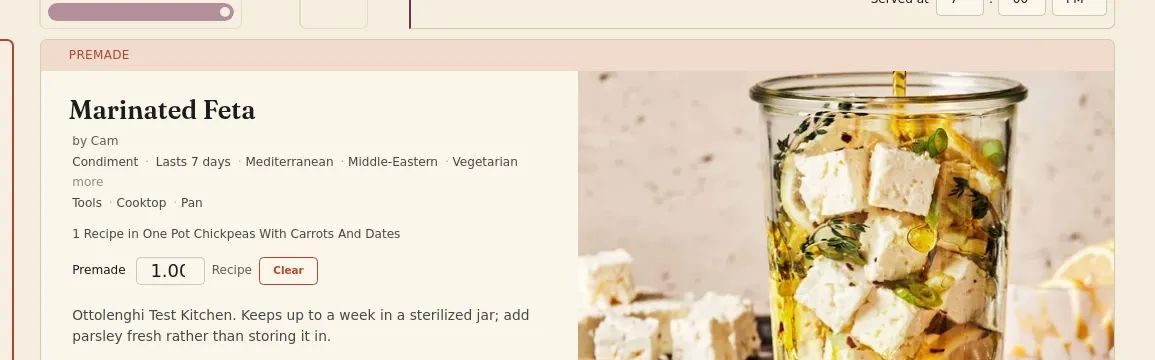
Many sub-recipes can be subbed out for store bought items. If not, or if you already have some made, enter how much you have in the sub-recipe card's Premade field, or click Full to remove it from the schedule entirely. A fully premade sub-recipe's card moves to the end of the recipe cards, after the ones you are making, under a Premade banner, so it's clear what you still need to cook.
Questions
Does a sub-recipe show up on the shopping list? Yes. The ingredients in sub-recipes are automatically pulled into your shopping list alongside everything else.
Can a sub-recipe have its own sub-recipe? Yes. A sub-recipe can use sub-recipes of its own, and each one is scheduled to be ready for the recipe that uses it.