Ingredient substitutions
Ingredient substitutes are built into the recipe itself, so the ingredient list, directions and shopping list update automatically.
Sometimes the lack of an ingredient or dietary restrictions force you to substitute one ingredient for another. Mise en Party handles substitutes naturally by writing them directly into the recipe itself, so a swap isn't something you need to remember. When you apply a sub in Mise en Party, the ingredient list, step directions, and your shopping list all update to match.
Which ingredients can be substituted
The author of a recipe decides the default substitutes available; the options are shown below the recipe on the dish card and in the Configure pop-up.
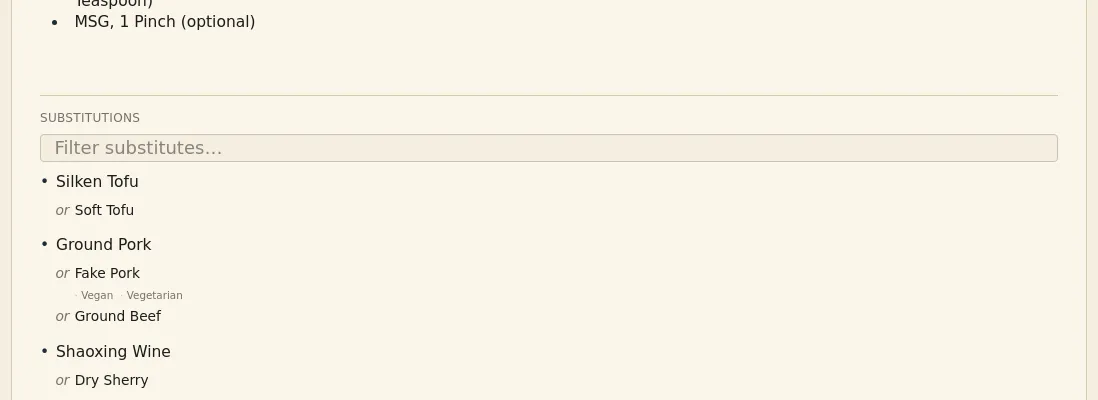
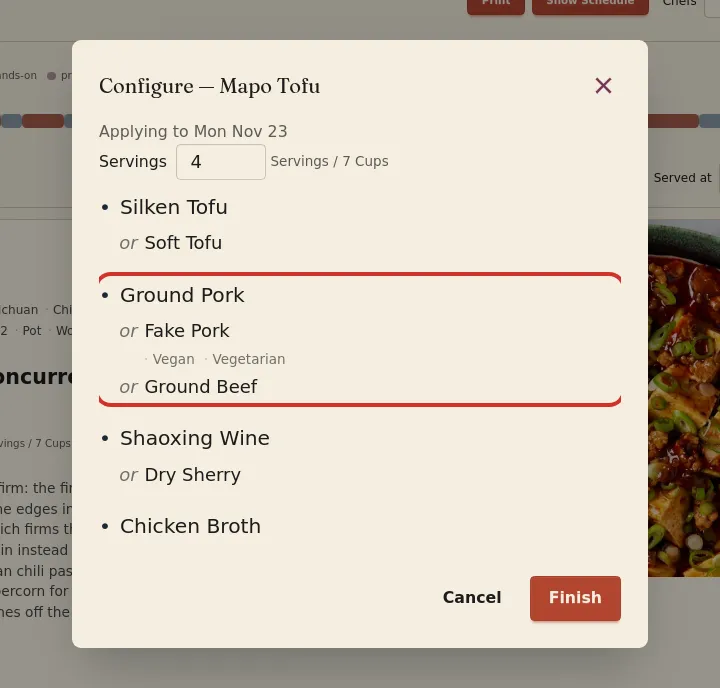
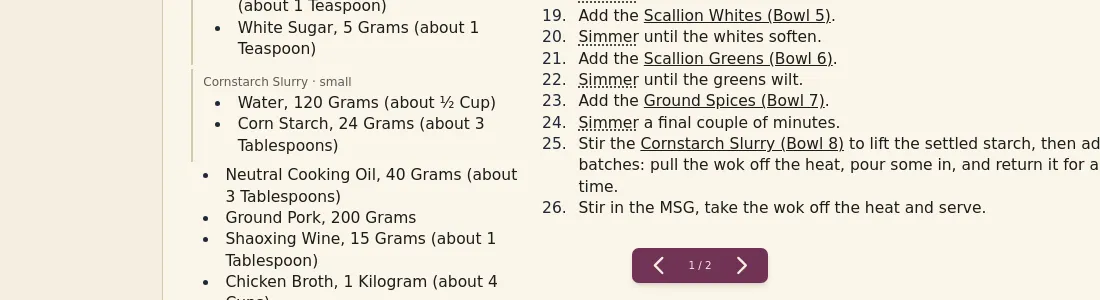
What a substitution changes
| As written | With Fake Pork applied |
|---|---|
 |
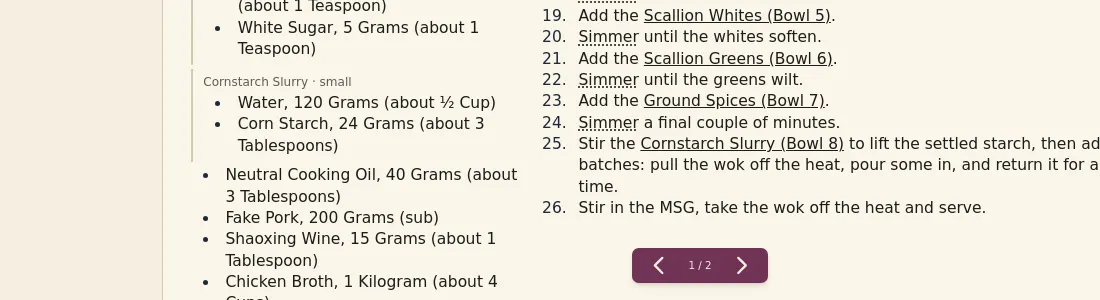 |
When a substitute is applied, the ingredient list, directions, and your shopping list are all updated to be kept in sync. For ingredients key to the dish's name, the name may additionally update to reflect the change, e.g. Butter Chicken to Butter Paneer.
| As written | With paneer applied |
|---|---|
 |
 |
Substitutes follow your search
When using the browser to search for dishes, recipes will automatically update to best reflect your search. This means that searching the ingredients you have on hand will match with dishes that both directly and indirectly require what you already have.
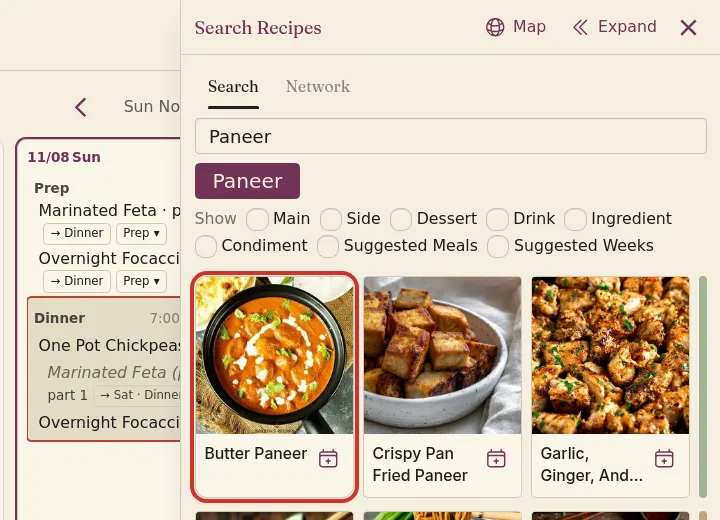
The less a recipe matches with your search terms, the lower its ranking in the search results is. Mise en Party is not a dietitian. Always double check the recipe to ensure it matches your dietary restrictions entirely.
How to set default search terms
-
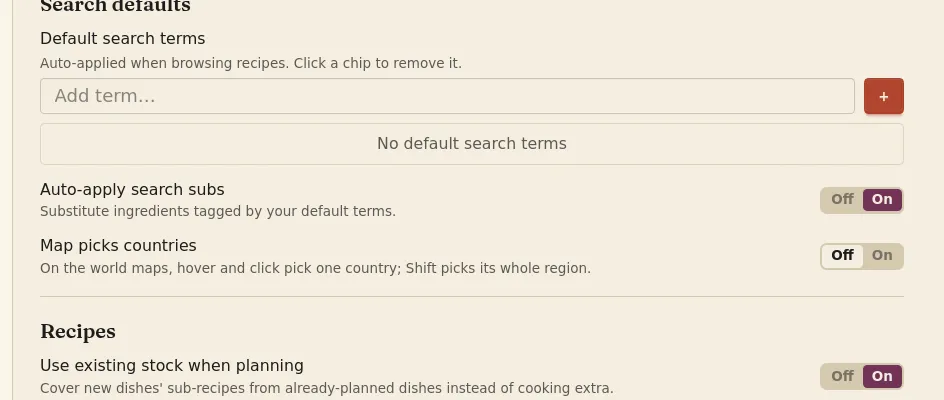
Under your account settings, on the Planning tab, you may set default search terms for preferences and dietary restrictions, like Vegetarian.
-
Turn on Auto-apply search subs to keep a search's substitutes when you add the dish to your plan.
Questions
Can I substitute one ingredient in one recipe only? Yes. To make a single substitution, open the meal page, tick your sub on that recipe's card, and click Apply. If the recipe is planned on more than one day, you can change that day only or every day.
Can I add my own substitute? Not yet. Only the author of a recipe can add its substitutes.
What if the substitute is frozen? After selecting the sub, the list of ingredients in the Needs thawing list will update to contain the new ingredient.