Thawing frozen food
Mark ingredients as Needs thawing to have Mise en Party remind you to pull them from the freezer, so they're ready to use when you need them.
Mise en Party allows you to mark ingredients as Needs thawing, meaning they are frozen and need time to defrost. Taking them out of the freezer then becomes a step of its own, 2 to 36 hours before that ingredient is needed in the meal.
How to mark an ingredient as frozen
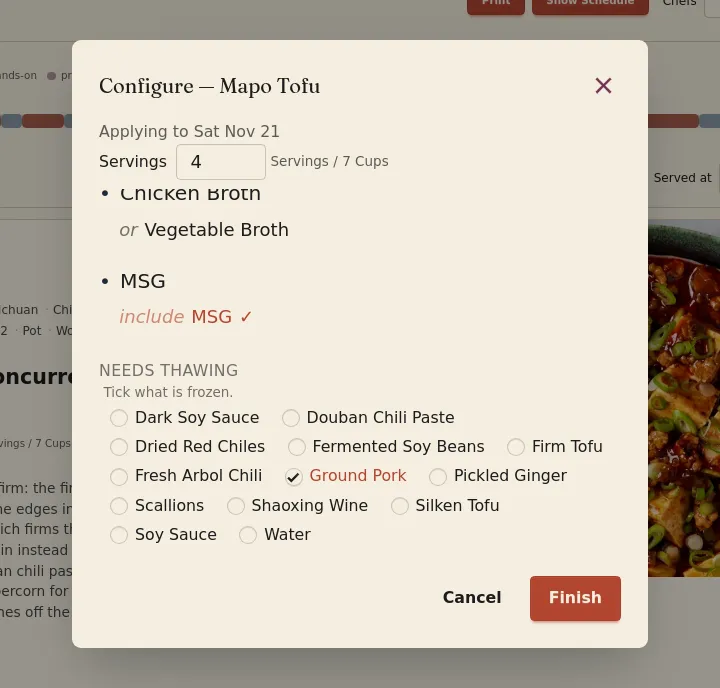
Ingredients can be marked for thawing in two places. First, when adding a recipe to the plan, the configuration menu lists the ingredients that can be thawed at the bottom of the menu.
Second, on a meal or recipe page, the list of ingredients that can be thawed is located at the bottom, below the substitutes.
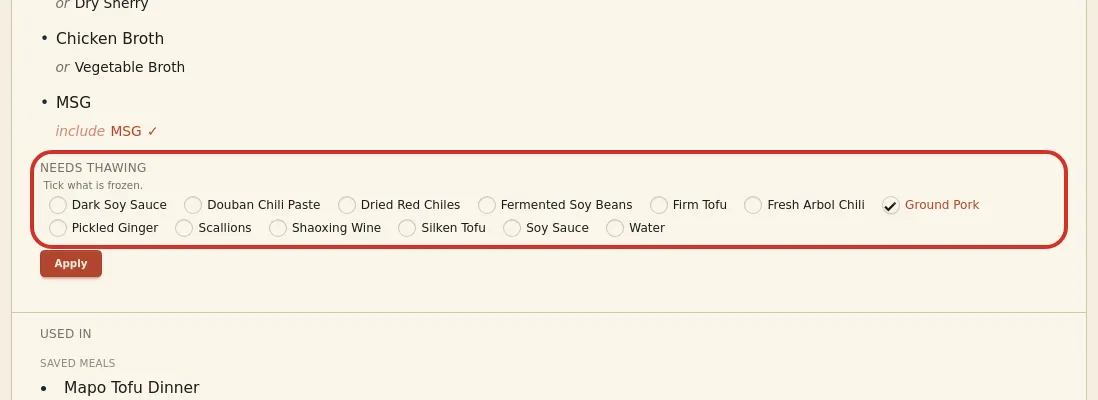
Tick each ingredient that is frozen, then click Finish in the configuration menu or Apply on the page.
Thawing appears on the plan as prep and can be scheduled like any other prep.
Where the thaw goes
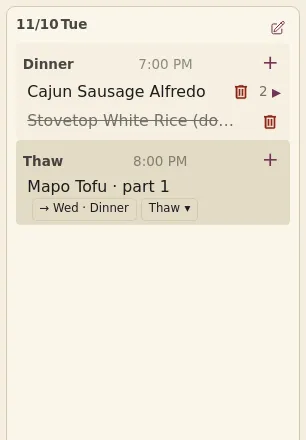
Thawing an ingredient reminds you to pull the item out of the freezer and either defrost it in cold water for about 2 hours or let it rest in the fridge for up to 36 hours. By default, the row in the plan to thaw starts out on the same day as the dish; to thaw overnight in the fridge, click the chip under it on the plan and move it to the day before. The exact time is up to you; Mise en Party acts only as a reminder, and the thaw must be scheduled before the meal it is needed for.
Questions
Can I thaw two things for one dish? Yes. Select all the ingredients that need thawing.
What if the pork is already thawed? Then don't mark it as needing to be thawed.
Does it change the shopping list? No, thawing does not change the shopping list.