Cooking together
How Mise en Party splits one meal's steps between a partner, friends or family cooking together.
When cooking together, instructions are given to each chef as needed, not divided by dish, to ensure the fastest meal preparation possible. As a result, you might be chopping the onions for one dish in your first step and then kneading the dough in your second step. Clear, separate instruction pages for each chef let you each move at your own pace. The meal plan naturally adapts as each chef finishes a step. You can use one device or each read off your own devices, whichever supports you best.
Splitting the steps between chefs
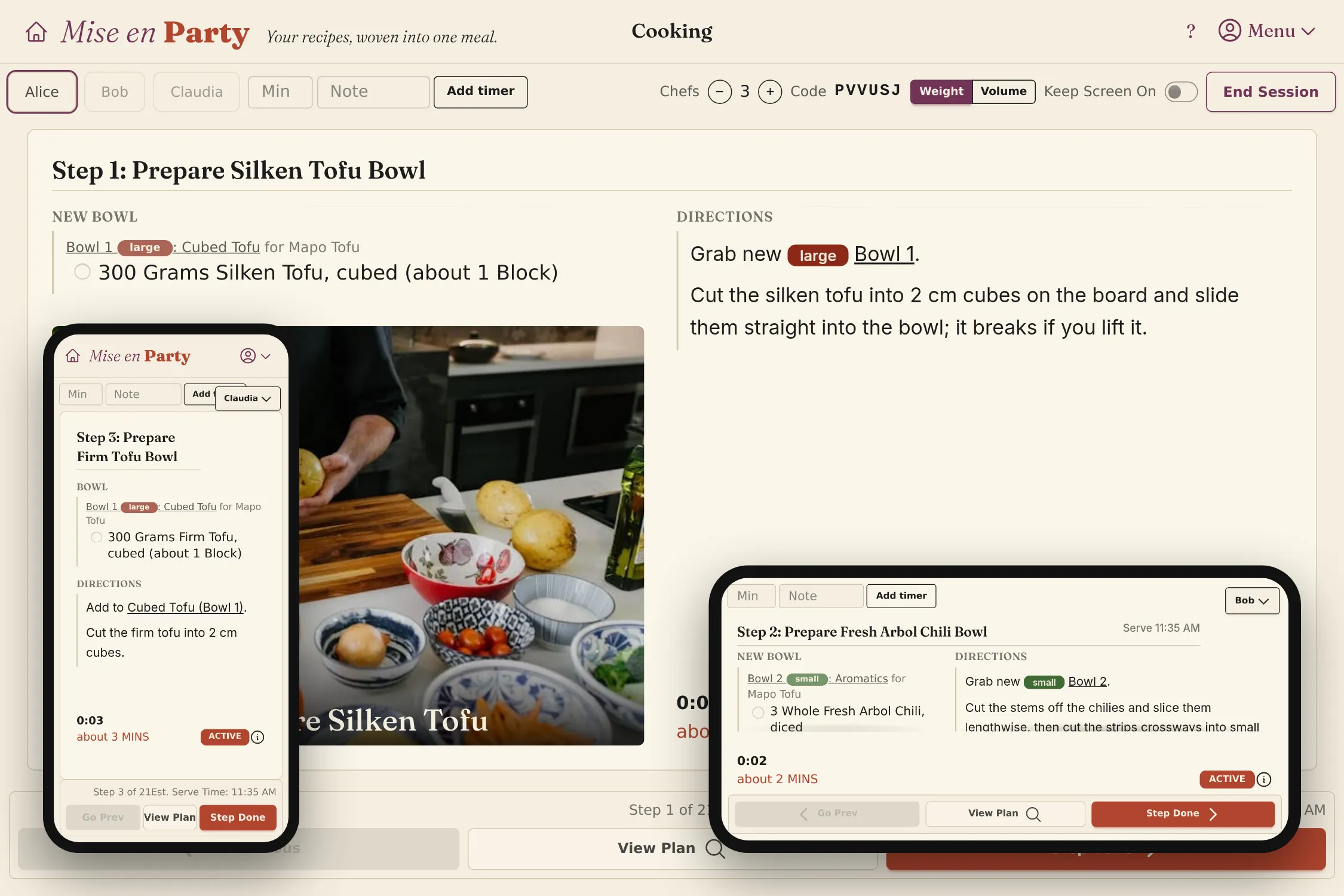
Cooking with others usually means someone is left waiting, or asking what to do next. Mise en Party schedules the whole meal for the number of chefs in the kitchen instead. When cooking begins, each chef is provided a step from one of the planned recipes, and as each chef hits Step Done, Mise en Party dynamically assigns the next task based on which chef is available to do it. This is not a potluck where Alice makes the curry and Bob makes the rice; rather, everyone contributes to the whole meal. Mise en Party understands the order of directions and won't schedule one chef to work on something before another chef has finished preparing it. Each chef can progress at their own pace while Mise en Party handles the timing so all recipes finish at the same time.
How to start a session together
-
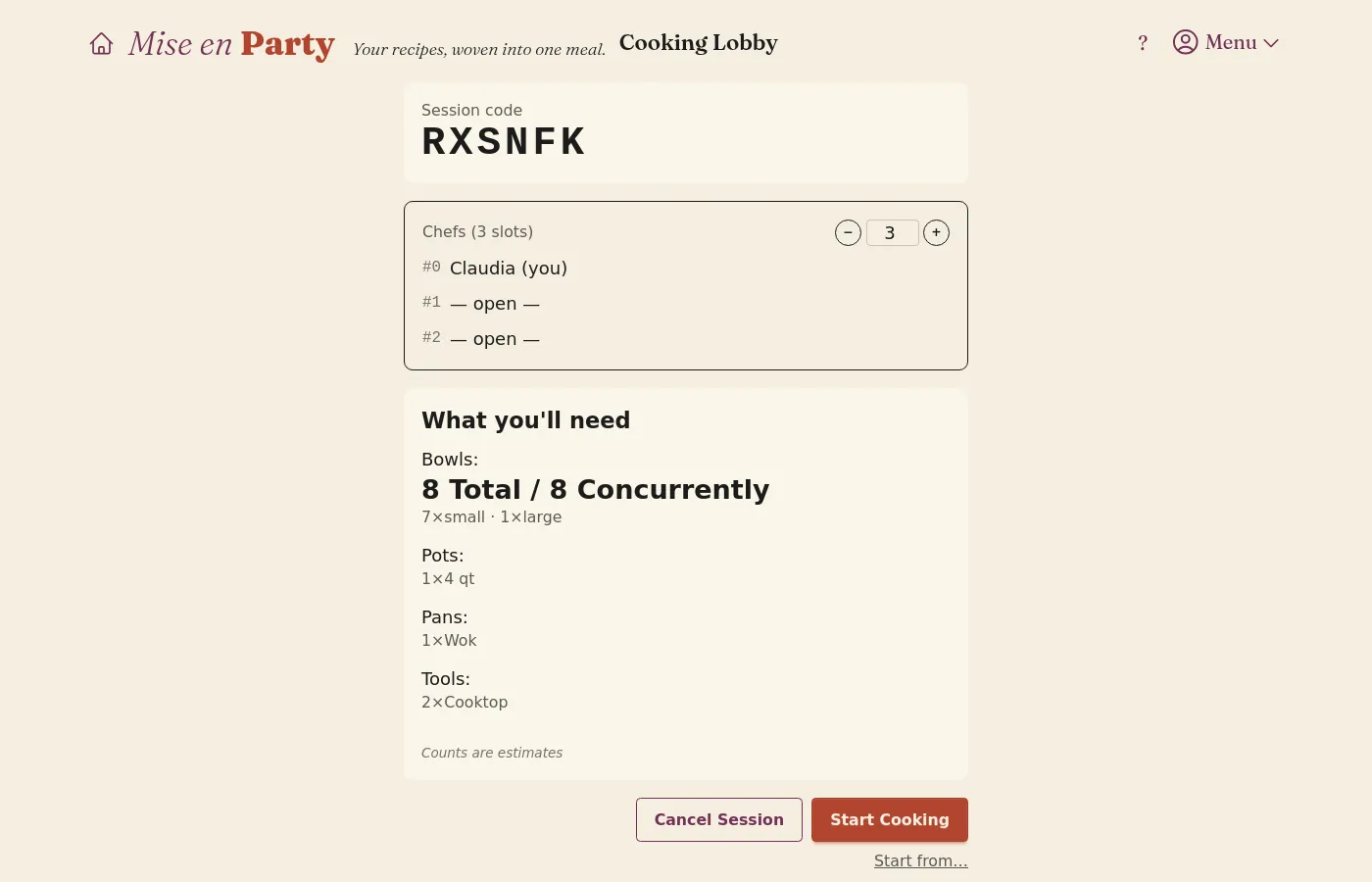
As the host, on the meal page, set Chefs to the number of people cooking, then click Start Cooking. This opens the session lobby, with a slot for each chef, the session code, and the bowls and tools the meal will use. Optionally, the host can also increase or decrease the number of chefs in the lobby with the − and + buttons.
-
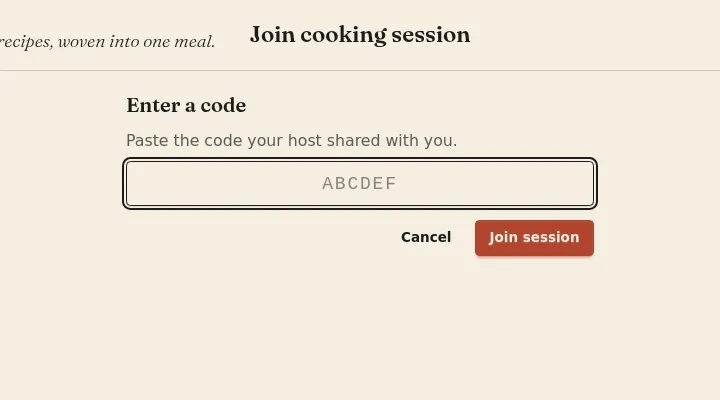
Each other chef opens Join Cooking Session from the account menu in the top right and enters the session code.
-
Once everyone has joined, the host clicks Start Cooking in the lobby, and each chef's page moves to their first step. Chefs without a device of their own share the host's screen using the tabs in the top left of the cooking page.
Questions
How many chefs can cook together? As many as your kitchen can support, up to 20. Past a point, cooking becomes a serial process and extra chefs end up standing around with nothing to do; most meals don't benefit from more than four.
Can a guest help without an account? Currently only registered accounts can join a session.
Can I give one chef just one dish? If one chef wants to make one dish, remove it from the meal and have them cook it in their own session.